
Top Stories
SSD Slowdowns: Key Reasons for Performance Issues Revealed

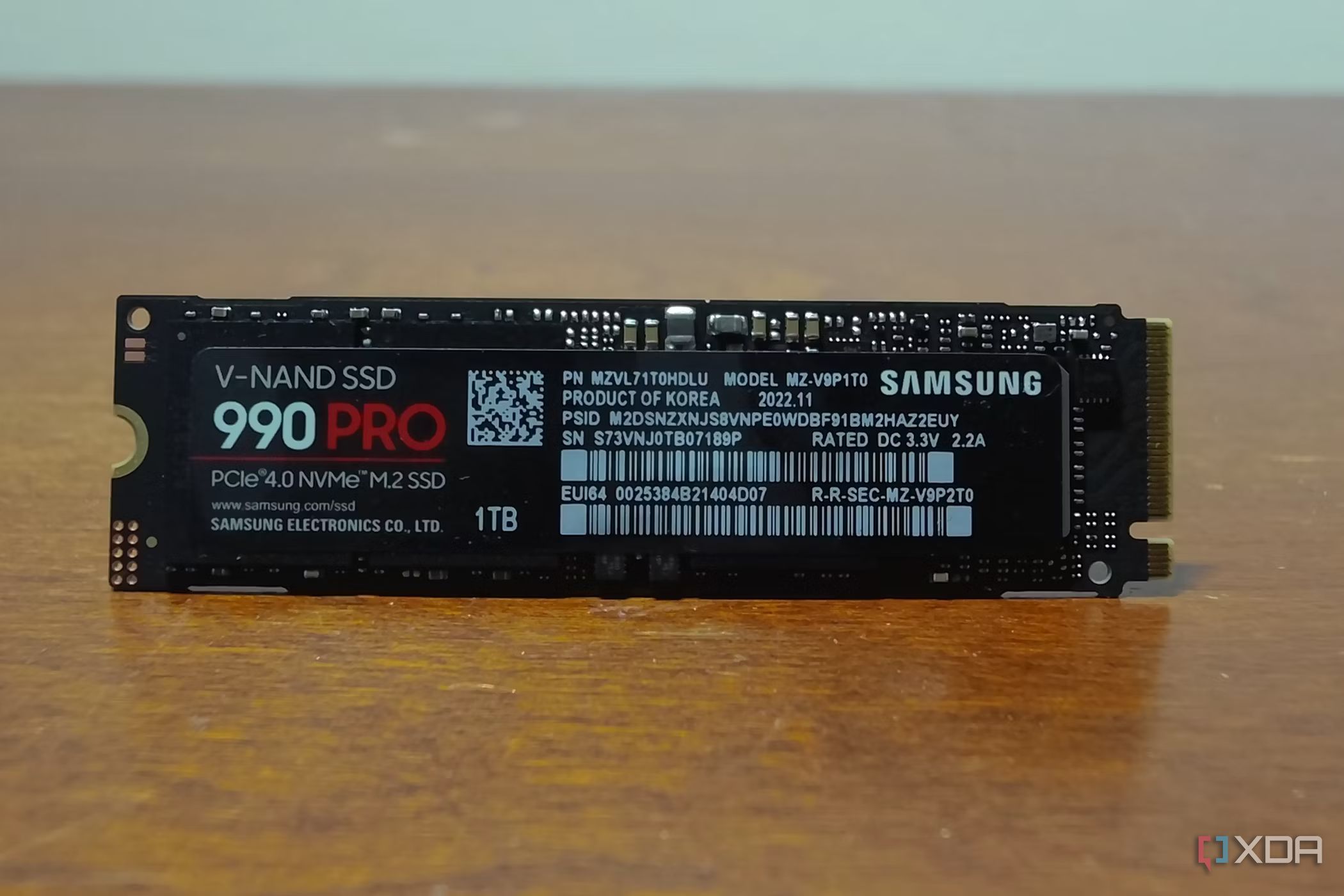
URGENT UPDATE: New findings reveal why your NVMe SSD may not perform at its advertised speeds, impacting users worldwide. Many may be surprised to discover that their new solid-state drives (SSDs) often deliver lower-than-expected read and write speeds during intensive tasks, such as gaming or 4K video editing.
Recent reports indicate that SSD slowdowns are a common occurrence, particularly under heavy workloads. Thermal throttling is a leading cause, with SSD controllers reaching temperatures exceeding 80°C within minutes. Drives are engineered to throttle performance at around 70°C to prevent overheating. This means that when copying large files or installing extensive game libraries, users can experience significant speed drops.
The specifications you see on product packaging typically refer to sequential speeds, which are achieved under ideal conditions and do not reflect the reality of everyday usage. In fact, these speeds are often just short bursts, not sustained performance levels. When tasks shift from sequential to random operations—such as running software or games—users may notice a dramatic decline in speed.
Moreover, the type of NAND used in SSDs plays a crucial role in performance. Current drives utilize various NAND cell types, including SLC, MLC, TLC, and QLC. While SLC offers the fastest speeds, it is not used in consumer SSDs due to high costs. Instead, modern drives rely on a mix of these types, leading to a drop in speed when the cache runs out. For instance, QLC drives, the slowest among them, can see a significant slowdown after transferring just 100GB of data. In contrast, high-end models can manage transfers over 500GB before experiencing similar issues.
Another critical factor is the process known as Garbage Collection, which SSDs perform to manage data efficiently. Unlike traditional hard drives, SSDs must delete entire blocks of data before writing new information. As drives fill up, this process becomes more time-consuming and can result in reduced performance. When SSDs approach 80% capacity, the likelihood of slowdowns increases, leading to what is known as Write Amplification, which can also shorten the drive’s lifespan.
To mitigate these issues, experts recommend keeping at least 20% of the SSD’s capacity free. Regularly allowing the system to idle can also facilitate Garbage Collection, enhancing overall performance. Additionally, investing in high-quality SSDs with effective cooling solutions can help prevent thermal throttling.
This information is crucial for consumers who rely on SSDs for intensive applications. Understanding these factors helps users optimize their drives, ensuring better performance and longevity. As SSD technology continues to evolve, being informed about these dynamics will empower users to make smarter purchasing decisions.
Stay tuned for more critical updates on this topic as we monitor how manufacturers address these performance challenges in future SSD models.

Urgent Warning: Jim Chanos Sounds Alarm on Nvidia’s Debt Risks

Sister Offers to Buy Brother’s Home Amid Financial Crisis

Police Arrest 67-Year-Old Santa for Alleged Child Abuse in Brazil

Urgent: Apple TV’s Cyber Monday Deal Slashes Prices Over 50%!

Astronomers Assess First-Ever Planetary Defense Test with 2024 YR4

Siblings Shine in Macy’s Thanksgiving Day Parade in NYC

U.S.-Wanted Fentanyl Kingpin Killed in Mexican Military Operation

Investors Urged to Rethink Bond Strategies in Changing Market

‘Zootopia 2’ Dominates Thanksgiving Weekend Box Office

University of Hawaiʻi Joins $25.6M AI Initiative to Monitor Disasters

Toledo City League Announces Hall of Fame Inductees for 2024

DOJ Seizes $15 Billion in Bitcoin from Major Crypto Fraud Network

Sharp Launches Five New Aquos QLED 4K Ultra HD Smart TVs

Celtics Coach Joe Mazzulla Dominates Local Media in Scrimmage

Community Unites for 7th Annual Walk to Raise Mental Health Awareness

Mutual Advisors LLC Increases Stake in SPDR Portfolio ETF

Western Executives Confront Harsh Realities of China’s Manufacturing Edge

INK Entertainment Launches Exclusive Sofia Pop-Up at Virgin Hotels
-
Science4 weeks ago
University of Hawaiʻi Joins $25.6M AI Initiative to Monitor Disasters
-
 Lifestyle2 months ago
Toledo City League Announces Hall of Fame Inductees for 2024
-
 Business2 months ago
DOJ Seizes $15 Billion in Bitcoin from Major Crypto Fraud Network
-
 Top Stories2 months ago
Sharp Launches Five New Aquos QLED 4K Ultra HD Smart TVs
-
 Sports2 months ago
Celtics Coach Joe Mazzulla Dominates Local Media in Scrimmage
-
 Health2 months ago
Community Unites for 7th Annual Walk to Raise Mental Health Awareness
-
 Politics2 months ago
Mutual Advisors LLC Increases Stake in SPDR Portfolio ETF
-
 Science2 months ago
Western Executives Confront Harsh Realities of China’s Manufacturing Edge
-
 World2 months ago
INK Entertainment Launches Exclusive Sofia Pop-Up at Virgin Hotels
-

 Politics2 months ago
Major Networks Reject Pentagon’s New Reporting Guidelines
-

 Science1 month ago
Astronomers Discover Twin Cosmic Rings Dwarfing Galaxies
-

 Top Stories1 month ago
Randi Mahomes Launches Game Day Clothing Line with Chiefs