
Top Stories
6 Essential Tricks to Maximize Your NVMe SSD’s Lifespan NOW!

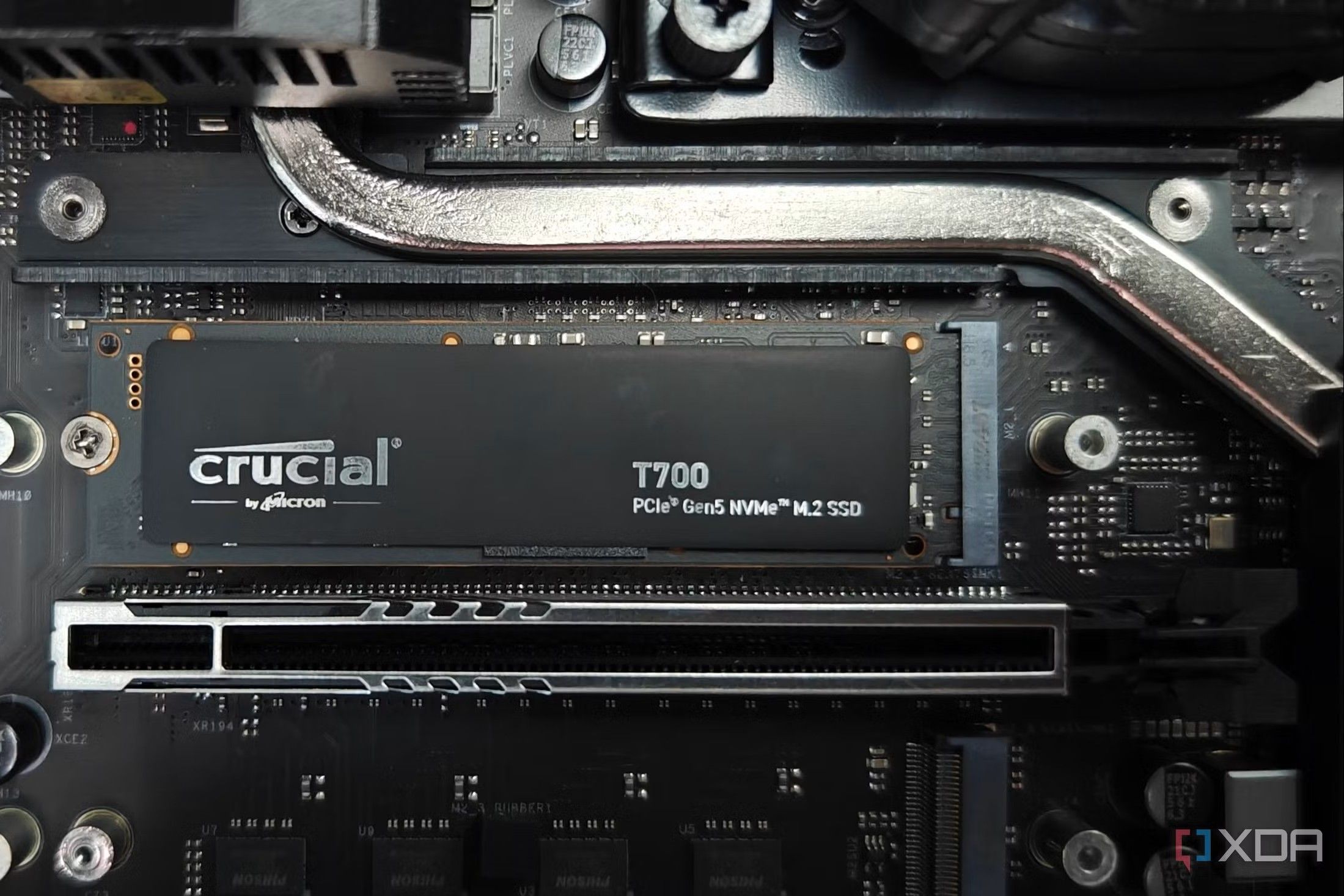
URGENT UPDATE: New insights reveal critical practices to enhance the performance and lifespan of your NVMe SSD storage solutions. As these drives dominate the market with their lightning-fast speeds, users must adopt essential maintenance tips to ensure longevity and optimal functionality.
Recent reports confirm that while NVMe SSDs are incredibly resilient, they are not maintenance-free. Users are urged to implement simple strategies to prevent early wear and tear, potential data loss, and performance degradation. With these drives central to gaming, high-end applications, and data handling, understanding how to care for them is crucial.
Here are six tricks that every NVMe SSD user should know:
1. Enable TRIM for Optimal Performance
First and foremost, enabling TRIM is vital. This background command allows the operating system to inform the SSD which data blocks are no longer in use, facilitating efficient data management. Without TRIM, residual data can clutter the drive and lead to performance issues. Users should confirm TRIM is active by running the command: fsutil behavior query DisableDeleteNotify. If the output is 1, TRIM is disabled and should be activated immediately with fsutil behavior set DisableDeleteNotify 0.
2. Maintain 10-20% Free Space
Another critical tip is to always leave 10-20% of your NVMe SSD’s space free. Filling the drive to capacity can hinder its ability to manage data efficiently, leading to accelerated wear and potential slowdowns. While it may be tempting to utilize every byte, maintaining some free space is essential for wear leveling, ensuring even distribution of writes across the drive.
3. Keep the Drive Cool
Monitoring the temperature of your NVMe SSD is crucial. If temperatures exceed 70°C, the drive may throttle performance to prevent damage. Long-term exposure to high temperatures can degrade NAND cells. Employ tools like CrystalDiskInfo to keep track of temperatures, especially during intensive tasks. Installing heatsinks and improving case airflow can significantly help in maintaining optimal temperatures.
4. Avoid Defragmentation
Defragmentation is a practice rooted in HDD maintenance and does not apply to SSDs. Users are advised against defragmenting their NVMe drives as this can unnecessarily add write cycles and reduce lifespan. Windows automatically manages SSD optimization, so let it handle TRIM instead.
5. Limit Heavy Write Workloads
For users with demanding tasks, such as video editing or database management, heavy write workloads can be a concern. To mitigate this, consider utilizing secondary storage drives for temporary files or browser cache locations. This will decrease the frequency of writes to your primary NVMe SSD, extending its longevity and performance.
6. Regular Health Monitoring
Finally, regular monitoring of your SSD’s health is essential. Tools like CrystalDiskInfo, Samsung Magician, and others provide insights into total writes, temperature, and SMART status. Checking these metrics every few months can help catch potential issues early and safeguard your important data.
Implementing these practices can help users maximize the potential of their NVMe drives and protect their data from premature failure. Experts emphasize that while NVMe SSDs are designed for speed and durability, a few simple maintenance habits can significantly enhance their lifespan.
What’s Next: As technology continues to evolve, staying informed about best practices and emerging innovations will be essential for all NVMe SSD users. Share this article to help others keep their drives performing at peak efficiency!

Boys Swimming Regular Season Heats Up: Champions Crowned Now

Nancy Cartwright Celebrates Special Bond With Niece Sabrina Carpenter

Insights from J.P. Morgan Healthcare Conference 2026

Save 50% on Ninja Foodi NeverStick Cookware: A Kitchen Revolution

Congress Approves Initial Funding Bills Following Shutdown

Researchers Unveil Breakthrough in Perovskite Display Technology

Pierce Johnson Joins Reds Bullpen, Teams Up with Emilio Pagan

United Airlines Launches Nonstop Flights from Maine to California

Urgent Events This Week: Gasparilla Tennis Classic & Bo Jackson Speaks

University of Hawaiʻi Joins $25.6M AI Initiative to Monitor Disasters

Interstellar Object 3I/ATLAS Emits Unprecedented Metal Alloy

Toledo City League Announces Hall of Fame Inductees for 2024

DOJ Seizes $15 Billion in Bitcoin from Major Crypto Fraud Network

Western Executives Confront Harsh Realities of China’s Manufacturing Edge

Mutual Advisors LLC Increases Stake in SPDR Portfolio ETF

Sharp Launches Five New Aquos QLED 4K Ultra HD Smart TVs

Community Unites for 7th Annual Walk to Raise Mental Health Awareness

Celtics Coach Joe Mazzulla Dominates Local Media in Scrimmage
-
Science2 months ago
University of Hawaiʻi Joins $25.6M AI Initiative to Monitor Disasters
-
 Science3 months ago
Interstellar Object 3I/ATLAS Emits Unprecedented Metal Alloy
-
 Lifestyle3 months ago
Toledo City League Announces Hall of Fame Inductees for 2024
-
 Business3 months ago
DOJ Seizes $15 Billion in Bitcoin from Major Crypto Fraud Network
-
 Science3 months ago
Western Executives Confront Harsh Realities of China’s Manufacturing Edge
-
 Politics3 months ago
Mutual Advisors LLC Increases Stake in SPDR Portfolio ETF
-
 Top Stories3 months ago
Sharp Launches Five New Aquos QLED 4K Ultra HD Smart TVs
-
 Health3 months ago
Community Unites for 7th Annual Walk to Raise Mental Health Awareness
-
 Sports3 months ago
Celtics Coach Joe Mazzulla Dominates Local Media in Scrimmage
-

 Politics3 months ago
Major Networks Reject Pentagon’s New Reporting Guidelines
-

 World3 months ago
INK Entertainment Launches Exclusive Sofia Pop-Up at Virgin Hotels
-

 Top Stories3 months ago
Microsoft Releases Urgent Windows 11 25H2 Update for All Users